

Whether you are a well-established business or a budding entrepreneur, transforming your design vision into a fully functional website is crucial. Figma to WordPress conversion is a powerful solution for this task. It enables you to take your meticulously crafted Figma designs and turn them into vibrant, dynamic WordPress websites.
But what exactly does this process entail, and why is it considered essential? Let’s delve into the significance and benefits of this conversion method.
1. What is Figma to WordPress Conversion?
At its core, Figma to WordPress conversion is the process of translating a design created in Figma into a WordPress website. This involves converting design layouts, typography, and visual elements into a live, interactive website. It’s not merely a matter of copying and pasting—it’s an art that requires precision and expertise.
With WordPress powering over 43% of the web, the importance of a seamless conversion can’t be overstated. This process is essential for businesses and individuals aiming to establish a professional WordPress site.
By transforming static designs into interactive user experiences, websites can attract, engage, and convert visitors. With WordPress, you gain access to a flexible and scalable platform that grows alongside your needs.
Benefits of Converting Figma to WordPress
Why should you consider Figma to WordPress conversion? Here are some compelling benefits:
- Custom Design: Create a WordPress website that mirrors your unique brand aesthetic and stands out in the crowd.
- Responsive and Mobile-Friendly: Improve user experience with a website that looks great on any device.
- Enhanced SEO: A well-structured website increases your visibility in search engine results, driving more traffic your way.
- Increased Conversions: An intuitive and user-friendly layout can lead to higher conversion rates.
2. Top Figma to WordPress Conversion Services in the UK
When it comes to converting Figma designs into WordPress websites, choosing a reliable service provider in the UK is critical for ensuring a seamless transition and a high-quality outcome. Below are some noteworthy services that specialise in this area:
Seahawk
Known For: Expert WordPress Development

Seahawk offers a comprehensive Figma to WordPress conversion service, ensuring your design is meticulously converted into a dynamic WordPress site. Our team of skilled developers focuses on creating websites that not only look aesthetically pleasing but also function seamlessly. Seahawk is particularly praised for its attention to detail and custom development capabilities.
- Responsive Design: Ensures your website is mobile-friendly and looks great on all devices.
- SEO Optimisation: Implements best practices to enhance your site’s visibility on search engines.
- Custom Functionality: Offers personalised solutions that cater to your specific business needs.
figtowp
Specialises in: Figma to WordPress Conversion
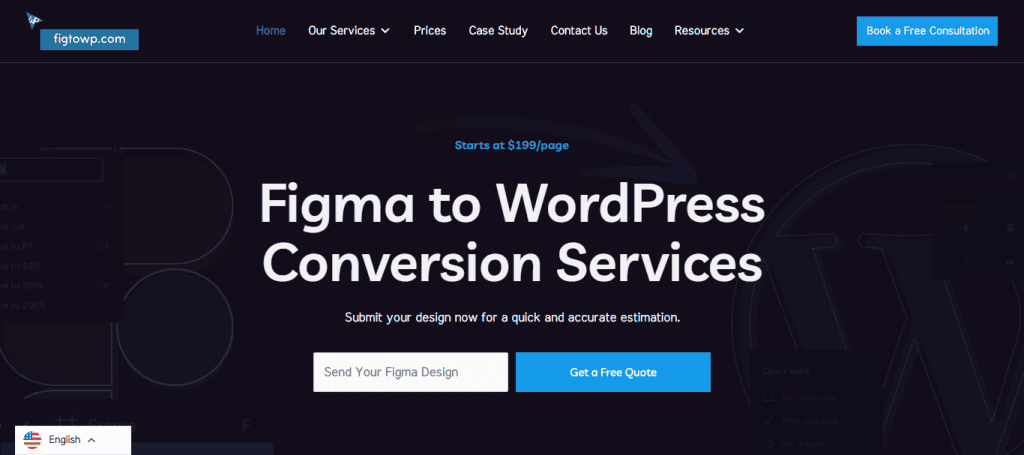
figtowp excels in transforming Figma designs into high-performance WordPress websites. Their specialisation in this niche allows them to deliver pixel-perfect conversions that stay true to your design while integrating the robustness of WordPress.
- Quick Turnaround: Offers efficient services without compromising on quality.
- User Experience Focus: Prioritises creating an intuitive and engaging user experience.
- Comprehensive Service: Covers everything from basic Figma conversions to complex customisations and integrations.
Learn: How Stellar WordPress Design Services in the UK Can Help Your Business Grow
3. Choosing a Figma to WordPress Conversion Service
Selecting the right service for converting your Figma design to a WordPress website is a critical decision that can significantly impact the final outcome. Here are key factors to consider:
Experience and Expertise
When evaluating potential services, prioritise those with a proven track record in WordPress web development. Experienced providers not only bring technical skills but also an understanding of best practices and potential pitfalls in the conversion process. Look for teams with certifications, extensive project histories, and technical prowess in both design and development.
Read: Top Website Development Service Providers in London
Portfolio and Case Studies
Examining a service’s portfolio and case studies can give you a clear picture of their capabilities. This review helps you assess their attention to detail and ability to stay true to the original design. Additionally, case studies can demonstrate how they tackle challenges, showcasing their problem-solving abilities and innovation.
Customer Reviews
Customer reviews offer valuable insights into the service’s reliability, work quality, and customer relationships. Platforms like Clutch, Google Reviews, or Trustpilot are good places to start. Consider both positive and negative feedback to get a balanced view of what to expect.
Pricing and Support
Ensure that the pricing is transparent and aligns with your budget. Compare the costs of different services, but remember that the cheapest option may not always be the best. Evaluate the support packages offered—continuous support after project delivery, revision policies, and available resources for troubleshooting can make a significant difference in your post-launch experience.
Find out: How WordPress Support Sites Enhance Your Website Management Experience
4. Step-by-Step Figma to WordPress Conversion Process
Transforming a Figma design into a fully functioning WordPress website involves a meticulous process, ensuring that the design’s aesthetics and functionality are preserved. Let’s explore each step in detail:
Step 1: Export Figma Design to HTML/CSS
Objective: Translate the design into code that browsers can render.

- Exporting Assets: Begin by exporting assets such as images, icons, and SVGs from Figma. These elements need to be correctly optimised for web use to ensure fast loading times and high quality.
- Slicing Design: Break down the Figma design into components and identify HTML elements that match these components, such as divs, headers, and buttons.
- Coding HTML/CSS: Write HTML for the structure and CSS for styling the components. The goal is to accurately replicate the Figma design in a static web page.
- Responsive Design: Use CSS media queries to ensure the design is responsive. It should adapt smoothly across various devices and screen sizes.
Step 2: Convert HTML to WordPress Theme
Objective: Integrate static files into WordPress’s dynamic environment.

- Theme Structure: Create a WordPress theme structure, consisting of essential files such as
index.php,style.css, header.php, footer.php, and functions.php.
- Template Files: Break down HTML files into WordPress template files. Each file corresponds to different parts of the WordPress theme (e.g., header, footer, sidebar).
- Functions and Loops: Use WordPress functions and loops to replace static content with dynamic WordPress content. This involves using PHP to integrate WordPress features like the loop for displaying posts.
- Register Styles and Scripts: Use wp_enqueue_scripts in functions.php to register and load your CSS and JavaScript files correctly.
Step 3: Add WordPress Functionality
Objective: Enhance the website with WordPress’s features.
- Widgets and Menus: Enable widget areas and navigate menus through WordPress. This makes it easy to manage content from the WordPress admin panel.
- Plugins: Install and configure plugins for additional functionality. This can range from SEO tools, contact form plugins, to security plugins.
- Custom Post Types and Fields: If necessary, create custom post types and fields for WordPress pages to tailor content management to fit the specific needs of your design.
- Interactive Elements: Add JavaScript or use plugins to implement interactive features like sliders, galleries, or accordions.
Step 4: Test and Optimise
Objective: Ensure the site is ready for visitors and search engines.
- Performance Testing: Use tools like Google PageSpeed Insights or GTmetrix to evaluate site speed. Optimise images and scripts to improve load times.
- Responsive Testing: Test the site across different devices and browsers to ensure consistent user experience everywhere. Use tools like BrowserStack for cross-platform testing.
- SEO Optimisation: Configure SEO plugins and ensure all on-page SEO elements are in place—meta tags, alt attributes for images, and structured data.
- Accessibility Compliance: Check that the site is accessible to users with disabilities. This could involve ensuring sufficient colour contrast and keyboard navigability.
- User Testing: Conduct user testing to identify any areas of confusion or difficulty that users might encounter, making adjustments as needed.
Also read: Tips to Optimise WordPress Website Speed and Boost Performance
5. Manual vs Automated Conversion Methods
Converting Figma designs to WordPress involves two primary approaches—manual and automated conversion—each offering unique advantages and trade-offs.
Manual Conversion for Figma to WordPress
Manual conversion is a traditional method where developers write code by hand, translating design specifications directly into HTML, CSS, and PHP.
- Customisation: This approach allows for highly tailored and bespoke websites. Developers can incorporate specific functionalities and design nuances that align precisely with the client’s vision.
- Quality Control: Manual Fig to WP conversion involves meticulous testing at each stage, ensuring that the site is optimised for performance, SEO, and cross-browser compatibility.
- Flexibility: Developers have the flexibility to implement complex, custom features that automated tools might not support. This is ideal for projects with unique requirements or advanced functionalities.
Automated Conversion
Automated conversion utilises plugins or tools to convert Figma designs into WordPress sites more rapidly.
- Efficiency: Automation can significantly reduce the time and effort needed for conversion, allowing for quicker turnaround times.
- Cost-Effective: With less manual work involved, automated methods can be more affordable, making them a practical choice for projects with limited budgets.
- User-Friendly: Many automated tools are designed to be user-friendly, allowing individuals with less technical expertise to perform the conversion.
Figma to WordPress Plugins and Tools
In the realm of automated conversion, specific plugins and tools have been developed to streamline the process:
- Fignel: This plugin automates the conversion process, making it quick and straightforward. It serves as a practical solution for those looking to expedite the transformation from Figma to WordPress.
- Yotako: Supporting both Figma and Adobe XD designs, Yotako provides a user-friendly interface and efficient automation to facilitate seamless conversion.
These tools exemplify how automation can leverage technology to make design-to-development transitions more accessible, especially for simpler designs.
Considerations: While efficient, automated conversion might lack the precision and depth of customisation available through manual methods. It is best suited for less complex designs or when budget constraints are a primary concern.
6. Figma to WordPress Additional Considerations
Several additional factors must be considered when embarking on a Figma to WordPress conversion to ensure a successful transition and high-quality outcome.
WordPress Themes and Design Elements
Achieving a pixel-perfect conversion from Figma to WordPress requires the creation of custom WordPress themes.
- Custom Themes: Bespoke WordPress themes ensure that your website mirrors the exact look and feel of the original Figma design, maintaining visual consistency and brand integrity. Custom themes can be created with WordPress theme development services.
- Design Elements: Using WordPress plugins to incorporate specific design elements helps maintain the integrity of the original design, ensuring features like animations, sliders, and galleries work seamlessly within the WordPress environment.
WordPress CMS and Functionality
Leveraging WordPress’s robust CMS capabilities is crucial for effective site management.
- Custom Functionality: Adding custom features enhances user interaction and makes your site more engaging. Functions like contact forms, event calendars, and membership areas can be integrated.
- Seamless Integration: Integrating with the WordPress CMS allows for efficient content management, making updates, edits, and maintenance straightforward and user-friendly.
Web Developers for Figma to WordPress Project
Web developers can greatly enhance their service offerings and workflow efficiency by mastering Figma to WordPress conversions.
- Expanded Offerings: Including this service broadens a developer’s capabilities, attracting clients interested in custom and visually compelling websites.
- Improved Workflow: Familiarity with the conversion process enables smoother project transitions from design to deployment, saving time and resources.
Figma File and Design Specifications
Proper preparation of Figma files is crucial for a smooth conversion process.
- Optimisation: Ensure designs are optimised for conversion—this includes organising layers, labelling components clearly, and preparing all necessary assets.
- Detailed Specifications: Providing comprehensive design specifications helps maintain accuracy and fidelity during the conversion, reducing errors and revisions.
WordPress Conversion Service Features
Key features of a successful conversion service should address both functionality and performance.
- Responsive and Mobile-Friendly: Ensure the final website adapts to various devices and screen sizes, providing a consistent user experience.
- SEO Optimised and Fast: Optimise the site for search engines and ensure it loads quickly by using best practices in development and hosting.
Cost and Support Packages
Understanding the financial and support aspects of conversion services is essential for planning.
- Varied Costs: The cost of conversion is influenced by the design’s complexity and the level of customisation required. Seek services that offer competitive pricing.
- Flexible Support: Opt for flexible support packages that meet your ongoing needs, whether through maintenance plans, revisions, or additional feature integrations.
By considering these additional factors, you can ensure a successful and effective journey from Figma design to a fully functioning WordPress website.
Conclusion
The future of Figma to WordPress conversion looks incredibly promising. With businesses increasingly relying on visually engaging and functional websites, mastering this WordPress conversion process becomes crucial. Likewise, hiring a professional for Figma to WordPress conversion is a wise choice.
Professionals bring expertise, ensure pixel-perfect accuracy, and implement advanced functionalities that elevate your website. So, embrace the vast opportunities that this conversion process offers to transform your design visions into thriving digital realities, ensuring success in the online domain.
Figma to WordPress FAQs
Can I convert Figma to WordPress?
Absolutely! There are numerous tools and services specifically designed to help you convert Figma designs into functional WordPress websites. These resources cater to both manual and automated approaches, making it easier to match your project requirements with available solutions.
How do I turn my Figma design into a website?
To turn your Figma design into a website, you can either follow a structured conversion process or use automated tools. The structured process involves exporting your design to HTML/CSS, converting it into a WordPress theme, and adding necessary functionalities. Automated tools can simplify this process, offering a more streamlined approach depending on the complexity of your design.
How to embed Figma to WordPress?
To embed Figma prototypes or designs directly into a WordPress site, you can utilise plugins specifically built for this purpose. Alternatively, embedding can be achieved using iframe embed codes provided by Figma, allowing you to showcase prototypes seamlessly on your site while preserving interactivity.
How do I convert Figma design to Elementor?
To convert Figma designs for use in Elementor, start by exporting the design to HTML/CSS. With these files, you can use Elementor’s drag-and-drop interface to recreate the design. This method allows you to take advantage of Elementor’s versatile, user-friendly features to build your WordPress site.
How much does Figma to WordPress cost?
The cost of converting Figma to WordPress varies based on several factors, including design complexity, the level of customisation required, and the method chosen. It’s important to explore different service providers in the UK who offer competitive rates tailored to your specific needs.


