
If you run a business in the UK, you already know how important it is to stand out in local search results. Whether you own a café in Manchester, a law firm in Birmingham, or a hair salon in Bristol, your online presence can make or break how potential customers find you. One of the most powerful yet often overlooked tools for local SEO is the Google Business Profile (GBP).
This free tool from Google allows you to showcase your business across Search and Google Maps. When optimised correctly, it can drive a steady stream of traffic, enquiries, and walk-in customers.
In this guide, we’ll explore proven strategies to increase your Google Business Profile traffic and boost your local visibility.
What is Google Business Profile?
Google Business Profile (previously known as Google My Business) is a free platform that helps businesses manage how they appear on Google Search and Google Maps.

A well-optimised profile highlights your business name, address, phone number, services, reviews, photos, and more. Customers can quickly find what they need, whether it’s your opening hours, directions, or the latest promotions.
For UK businesses, this is particularly valuable. Many customers search phrases like “plumber near me” or “best bakery in Leeds”. Google uses location and profile data to decide which businesses to show. If your profile is complete and engaging, you’re more likely to appear at the top of those results.
Optimise Your GBP the Right Way with Us
Our team ensures your Google Business Profile is fully optimised for accuracy, better local search visibility, engagement, and growth.
Setting Up Your Google Business Profile in the UK
The first step is claiming or creating your GBP. Simply search for your business name on Google. If it already exists, you’ll see the option to claim it. If not, you can create a new one.
Step 1: Sign in to Google Business Profile Manager
Go to google.com/business and sign in with your Google account. Use a business email (not a personal one) for credibility and easier management.

Step 2: Enter Your Business Name
Type in your registered business name exactly as it appears on your website and official documents. Avoid adding extra keywords (like Best UK Web Design Agency) as it can violate Google’s guidelines.
Step 3: Choose a Business Category
Select the category that best represents your services (e.g., Digital Marketing Agency, Online Retailer, or Consulting Service). Categories help Google understand your business and show you in relevant searches.
Step 4: Specify Your Business Type
Since you’re an online business, choose “Online retail” or “Service-based business” depending on what fits best. You can also select whether you serve customers at their location or remotely.
Step 5: Add a Business Address (Optional for Online Businesses)
You can hide your address if you don’t have a physical shop or office for customers to visit. Instead, list your service areas (e.g., “London, Manchester, Birmingham”) so Google knows where you operate.
Step 6: Enter Contact Information
Add a business phone number and website link. If you don’t have a phone line, use your website as the main point of contact.
Step 7: Verify Your Business
Google usually sends a postcard with a code to your registered business address. Online and service-based businesses in the UK may also verify via email, phone, or video call. Once verified, you can control the accuracy of your details, which boosts both trust and visibility.
Step 8: Complete Your Profile Details
Add business hours (even if they are customer service hours). Write a keyword-rich description about what you do (e.g., “UK-based eCommerce business specialising in handmade jewellery”). Also, upload your logo, cover photo, and product/service images.
Step 9: Enable Messaging
Turn on the messaging feature so customers can contact you directly from your GBP listing.
Step 10: Optimise With Extras
Optimisation doesn’t stop with basic information. Add:
- Photos and videos: High-quality images of your premises, team, and products. UK customers often decide where to eat, shop, or book based on visuals.
- Keyword-rich description: Include natural references to your services and location. For example, “family-run Italian restaurant in Camden serving authentic pasta and wood-fired pizza.”
- Attributes: Accessibility, payment methods, or whether you offer takeaway or delivery.
Furthermore, ensure everything is accurate and consistent with other listings. For instance, if your restaurant in London lists its closing time as 11pm on your website but 10pm on GBP, it can confuse both customers and Google’s algorithms.
Read more: Top On-Page SEO Strategies for WordPress Websites
Local SEO Strategies for Google Business Profile
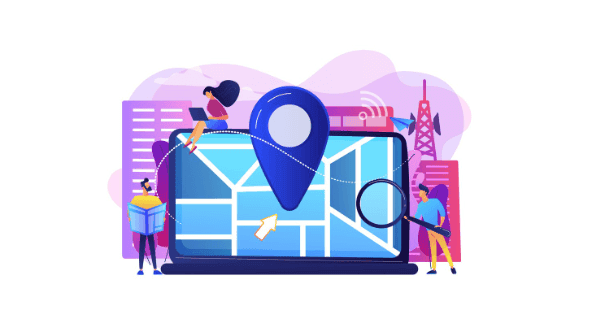
To maximise the visibility of your Google Business Profile (GBP), local SEO strategies are essential. These approaches ensure that your business appears in relevant searches, attracts the right audience, and builds long-term trust. Let’s explore the most effective tactics.
Use Relevant Local Keywords
Start by adding local keywords naturally into your business description and Google Posts. This helps Google connect your services with nearby searchers.
For example, a solicitor in Edinburgh might highlight “legal advice in Edinburgh” or “family law services in Scotland.” By aligning your content with location-specific terms, you make it easier for potential customers to find you when searching in your area.
Build Citations Across Directories
Next, strengthen your local presence by building citations. Citations are online mentions of your business name, address, and phone number (NAP). UK directories like Yell, Thomson Local, or sector-specific listings are excellent starting points.
Also, consistency is key. Your NAP must match exactly across all platforms and your GBP. This not only reassures customers but also signals credibility to search engines, improving your local rankings.
Leverage Reviews for SEO
Finally, don’t underestimate the power of reviews. Positive feedback acts as social proof and contributes directly to your search performance. Encourage satisfied clients to leave genuine reviews.
For instance, a Brighton café might ask customers to comment on their coffee or service.
Moreover, always respond to the feedback regardless of whether it is positive or critical. Doing so demonstrates professionalism, improves trust, and signals to Google that you actively engage with your audience.
By combining keywords, citations, and reviews, your Google Business Profile will gain stronger visibility and attract more qualified local traffic.
Know more: How to Conduct a Technical SEO Audit for Your WordPress Site
Google Business Profile Features to Boost Engagement
A well-maintained Google Business Profile (GBP) is more than just a digital listing; it’s a tool for actively engaging with potential customers. By using its built-in features, you can increase visibility, build trust, and encourage more interactions.
Using Google Posts
Google Posts function like mini social media updates, but carry the added advantage of boosting local SEO. They allow you to highlight promotions, events, and news directly on your profile.
For instance, you might promote a limited-time deal such as “20% off fish and chips this Friday in Blackpool.” Similarly, you could announce events like “Live jazz night at our London bar this Saturday,” or introduce products with “Fresh stock of organic skincare products now available in Bath.”
Including engaging photos or short videos makes these posts stand out and captures customer attention.
Check out: Top Reasons Competitors Outrank You and How Investing in SEO Can Help
Customer Engagement Tools
Beyond posts, GBP offers direct communication features. Customers can message you straight from search results, making it easier for them to reach out without extra steps.
By enabling this feature and responding quickly, you show reliability and customer care. Prompt replies often turn casual searchers into loyal customers, while also signalling to Google that your business is active and engaged.
When used together, posts and engagement tools transform your GBP into an interactive hub that drives both trust and traffic.
Visibility and Reach: Tracking Performance
To grow your Google Business Profile (GBP) traffic, it’s not enough to set up and optimise; it’s equally important to track how your profile performs. Google provides built-in tools that give you valuable insights into customer behaviour and search visibility.
Insights and Analytics
GBP Insights shows how people interact with your profile. You can track:
- Views: How often does your business appear in Search or Maps?
- Search queries: The exact keywords customers used to find you.
- Actions taken: Calls, website clicks, and direction requests.
For example, a small hotel in York might see that most searches come from “weekend break in York.” This information can guide your GBP posts, service descriptions, and wider SEO strategy.
Using Data to Improve Performance
Checking Insights regularly helps you spot trends and take action. If calls are low but website clicks are high, your site may need mobile optimisation or clearer contact details.
Likewise, if many customers request directions, adding landmarks such as “opposite Manchester Piccadilly Station” can make it easier for visitors.
By analysing and acting on this data, you can refine your profile and boost local visibility.
Find out: Is SEO Worth it
Tips and Best Practices for Google Business Profile Optimisation
Optimising your Google Business Profile (GBP) is not a one-time task. To maximise visibility and attract more customers, you need to apply ongoing strategies that keep your profile accurate, engaging, and trustworthy. Here are some best practices to follow.
Keep Profile Information Consistent
First, ensure that your Name, Address, and Phone number (NAP) are the same across your GBP, website, and online directories. Consistency builds trust with both customers and search engines. Even small discrepancies, such as using “Rd.” instead of “Road,” can harm your local SEO performance.
Content Creation for GBP
Next, treat your GBP like an extension of your website. Share blog snippets, highlight services, or showcase case studies. For instance, a WordPress development agency in London could post client success stories, demonstrating expertise while keeping the profile fresh and engaging.
Customer Reviews and Feedback
Customer reviews strongly influence local rankings and brand reputation. Always reply to reviews, whether positive or negative. If a customer in Glasgow reports slow service, respond with an apology and explain the improvements you’ve made. This shows transparency and care.
Engage with the Local Community
Finally, strengthen visibility by connecting with your community. Sponsor local events, collaborate with nearby charities, or run joint promotions with neighbouring businesses. Share these initiatives through Google Posts to boost credibility and attract new customers.
By applying these practices consistently, your GBP becomes a powerful driver of traffic and trust.
Explore: The Role of Content Marketing in WordPress SEO and Quick Tips
GBP Strategy and Planning for Long-Term Success
Building a strong Google Business Profile (GBP) is only the beginning. To achieve long-term success, you need a clear strategy and consistent effort. With proper management and analysis, your profile can continue driving traffic and customers well into the future.
To start, avoid a “set-and-forget” mindset.
- Keep your details up to date by reviewing your profile regularly.
- Update your opening hours, especially during UK bank holidays.
- Refresh your content with seasonal offers, new photos, and regular posts.
An active profile signals reliability to both customers and Google, improving your ranking potential.
In addition, schedule monthly reviews of your GBP Insights. Identify which posts or updates generate the most engagement.
If certain content performs poorly, adjust your strategy and experiment with video posts, customer testimonials, or new formats. Consistent analysis ensures your profile evolves alongside customer behaviour.
Know more: Best White Label SEO Companies in the UK for Agencies
Summary
A well-optimised Google Business Profile is one of the most powerful tools for local SEO. For UK businesses, it can be the difference between being invisible and becoming the go-to choice in your community.
From setting up and verifying your profile to using features like Google Posts, reviews, and Insights, every step increases your visibility and traffic. Pairing GBP optimisation with consistent local SEO strategies ensures that when customers search for businesses like yours, you’ll stand out.
Start today by reviewing your profile, filling in missing details, and planning your next post. The sooner you optimise, the sooner you’ll see results such as more clicks, more calls, and more customers walking through your door.
FAQs About GBP Optimisation
Why is Google Business Profile important for local businesses?
Google Business Profile helps local businesses improve their online presence and connect directly with local customers who are searching nearby.
What is Google Business Profile optimisation?
Google Business Profile optimisation is the process of enhancing your business listing with accurate details, a keyword-rich business description, and high-quality photos to improve local search visibility.
How does a verified Google Business Profile help?
A verified Google Business Profile builds trust, ensures business information is accurate, and boosts local search rankings.
What role do reviews play?
Review management is essential. Positive reviews from satisfied customers build credibility, while responding to negative reviews or negative feedback shows professionalism.
How can business owners attract more traffic?
When you optimise your Google Business Profile with relevant keywords, core services, direct links, and quality photos and videos, you can drive more traffic and phone calls.
Can profiles help multiple locations?
Yes, most businesses with more than one physical location can create separate Google business listings, assign a primary category with relevant secondary categories, and highlight key services.
What else improves Google Business Profile engagement?
Encourage reviews, respond to reviews, share customer feedback, and post updates about operating hours or events. Including relevant directories, local intent content, and actual user behaviour insights strengthens local SEO efforts and supports business growth by attracting actual customers.