


With cyber threats constantly evolving, websites have become prime targets for hackers. If your website is hacked, it can damage your reputation, affect search rankings, and even put your visitors at risk. That’s where website safety checker tools come in.
These tools help detect security threats, malware, and vulnerabilities, ensuring a safe browsing experience for your users. In this article, we’ll explore the top website safety checker tools, their features, and how they can protect your online presence.
What is a Website Safety Checker Tool?
A website safety checker is a tool that scans a website for security threats and vulnerabilities. It evaluates a website’s safety by checking for malware, phishing attempts, blacklist status, and SSL certificate validity. Using various data sources and algorithms, these tools provide a detailed report on a website’s security status. This helps website owners, developers, and users ensure a secure online environment.
How to Check if a Website is Safe?
Whether you’re visiting a new website or verifying your own, checking for potential security risks can protect your data and devices. Here are the key steps to determine if a website is safe.
Use a Reliable Website Safety Checker Tool: One of the easiest ways to check a website’s security is by using a trusted website safety checker. These tools analyse a website for malware, phishing attempts, and other threats.
Scan the Website’s URL and Domain: A suspicious-looking URL can indicate a fraudulent or malicious site. Check for:
- Misspellings (e.g., “g00gle.com” instead of “google.com”)
- Unusual domain extensions (e.g., .xyz, .info for reputable businesses)
- HTTPS in the URL – A secure site should have “https://” instead of just “http://”
Check for Malware and Security Threats: Many websites unknowingly host malware. Run a security scan using tools like Norton Safe Web or VirusTotal to detect harmful files, phishing scams, or malicious redirects.
Evaluate the Website’s Trust Score and Reputation: Websites with a high trust score are generally safer. Use tools like ScamAdviser to check user reviews and credibility scores. Additionally, search online for user feedback to spot potential red flags.
Look for SSL Certificates and Security Badges: A valid SSL certificate ensures that the website encrypts user data, protecting it from hackers. Look for:
- A padlock icon in the address bar
- Security badges from trusted sources like McAfee or Norton
- Privacy policies and terms of service, which indicate a legitimate website
By following these steps, you can minimise security risks and ensure a safer browsing experience.
How Can a Website Security Agency in the UK Help?
Website security is essential to protect your business from cyber threats, malware, and data breaches. A professional website security agency in the UK can provide comprehensive protection, ensuring your website remains safe and functional. Here’s how they can help.

Website Monitoring and Security Issue Detection
Cyber threats can appear at any time, making continuous website monitoring crucial. A security agency helps by:
- Tracking your website for malware, vulnerabilities, and suspicious activities.
- Detecting security threats in real time before they cause significant damage.
- Identifying potential website issues and fixing them before they escalate.
- Sending alerts and notifications about any security concerns.
By actively monitoring your website, these agencies help prevent cyberattacks and ensure a secure browsing experience for your users.
Malware Removal and Website Cleanup
If your website is hacked or infected with malware, immediate action is necessary. A security agency can:
- Remove malware and eliminate other security threats that could harm your website.
- Perform a complete cleanup to restore your website’s integrity and functionality.
- Recover lost data and repair any damage caused by the security breach.
- Implement preventive security measures to reduce the risk of future attacks.
Having professionals handle malware removal ensures your website is safe and secure without losing important data or functionality.
Website Blacklist Status and SSL Verification
Being blacklisted by search engines can significantly harm your website’s reputation and traffic. A website security agency ensures:
- Your website is not blacklisted by Google or other search engines due to security threats.
- Your SSL certificate is valid to protect user data and encrypt sensitive information.
- Improved trust and credibility, as visitors and customers feel safer on your website.
- Prevention of security threats by maintaining a secure online environment.
By verifying your website’s security status, a security agency helps keep your business safe and trustworthy online.
Ongoing Website Maintenance and Support Packages
Website security is an ongoing process, not a one-time fix. Many security agencies offer ongoing maintenance and support to ensure long-term protection. They provide:
- Regular security updates to keep your website safe from new threats.
- Software and plugin updates to patch vulnerabilities.
- Backup and recovery solutions in case of data loss.
- Technical support and assistance whenever you need help.
With a website maintenance package, you can focus on running your business while professionals handle security and technical issues.
Is Your Website Compromised? Act Now!
Don’t let security threats put your website and business at risk. Our expert team in the UK can quickly clean up malware, fix vulnerabilities, and protect your site from future attacks. Get a free security audit today!
Top Website Safety Checker Tools to Detect Malicious Websites
Here are some of the best website safety checker tools available to detect malicious, scam, and suspicious websites:
Sucuri SiteCheck – Comprehensive Security Scanning

Sucuri SiteCheck is a powerful website security scanner that checks for malware, blacklisting, and vulnerabilities. It scans a website’s code, detects security issues, and provides recommendations to fix them. Additionally, it helps prevent future attacks by identifying potential weaknesses.
Google Safe Browsing – Detects Phishing and Harmful Websites

Google Safe Browsing is a free tool that helps users and businesses stay safe online. It scans websites for malware, phishing, and suspicious activities. If a website is flagged as dangerous, Google warns users before they visit, making it an essential tool for safe browsing.
Detectify – Automated Security Scanning for Vulnerabilities

Detectify is an advanced security scanning tool that helps website owners identify vulnerabilities before hackers can exploit them. It uses automated penetration testing to detect security flaws, misconfigurations, and outdated software that could put a website at risk.
Sitechecker – Monitors Website Security and Performance
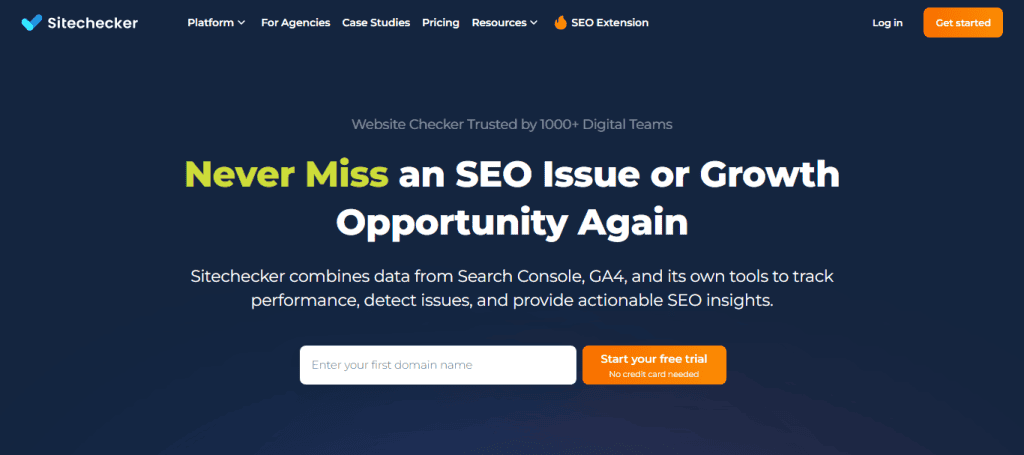
Sitechecker offers real-time security monitoring and helps businesses improve their website performance. It scans for malware, broken links, and SEO issues, ensuring that websites are both secure and optimised for search engines.
SiteGuarding – Malware Detection and Website Security Services

SiteGuarding specialises in malware detection, blacklist monitoring, and security solutions. It helps website owners remove malicious files, secure their sites against future attacks, and keep their platforms safe from hackers and data breaches.
Get Safe Online – Provides Security Checks and Expert Advice

Get Safe Online is a free resource that offers website security checks, online safety advice, and cybercrime prevention tips. It is particularly useful for small businesses and individuals looking for practical guidance on staying safe online.
Intruder – Identifies Security Threats for Businesses
Intruder is a high-level security assessment tool designed for businesses. It conducts proactive vulnerability scanning, identifies potential security threats, and provides detailed reports to help companies strengthen their cybersecurity defenses.
Other Free Website Safety and Security Check Tools
In addition to premium website security tools, several free website safety checkers can help detect malware, phishing threats, and vulnerabilities. These tools provide a cost-effective way to ensure that your website remains secure. Here are some of the best free website safety and security check tools available.
SSLTrust – Free SSL and Website Security Checks
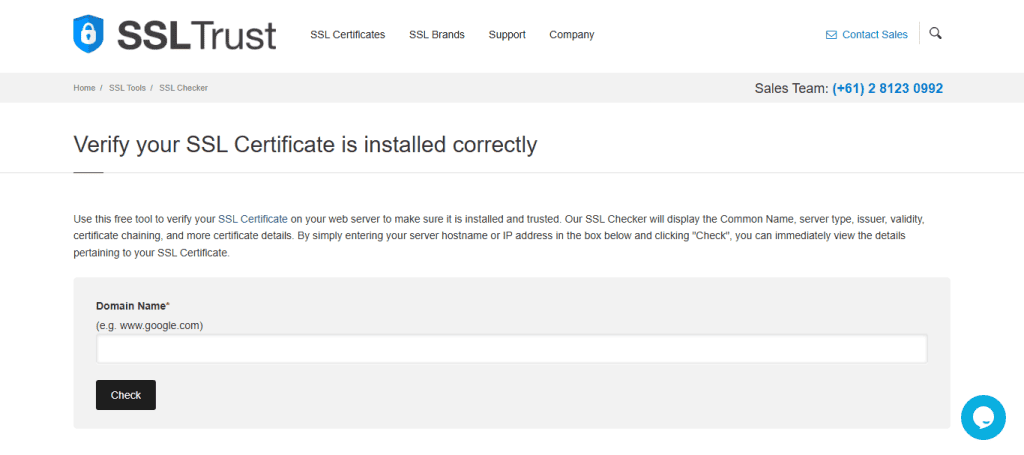
SSLTrust offers a free website security check that helps verify SSL certificates, domain security, and server configurations. It scans for potential vulnerabilities in SSL/TLS encryption, ensuring that your website maintains a secure connection for users.
URLVoid – Free Website URL Checker

URLVoid is a simple yet effective tool that analyses specific URLs for security threats. It checks a website against multiple security databases to detect malware, phishing attempts, and blacklisting status. This tool is useful for quickly verifying if a website is safe to visit.
SiteLock – Scans for Malware and Vulnerabilities

SiteLock is a popular tool that provides a free website scan to detect malware, security vulnerabilities, and other threats at a click. It offers real-time protection by scanning websites regularly and notifying users of any security issues that need to be addressed.
Qualys SSL Labs – Tests SSL Security Configurations

Qualys SSL Labs is a widely used tool for SSL security testing. It provides access to detailed reports on SSL certificate validity, encryption strength, and potential vulnerabilities. This tool is particularly useful for website owners who want to ensure their SSL configurations are secure and up to industry standards.
Pentest Tools – Website Vulnerability Scanner
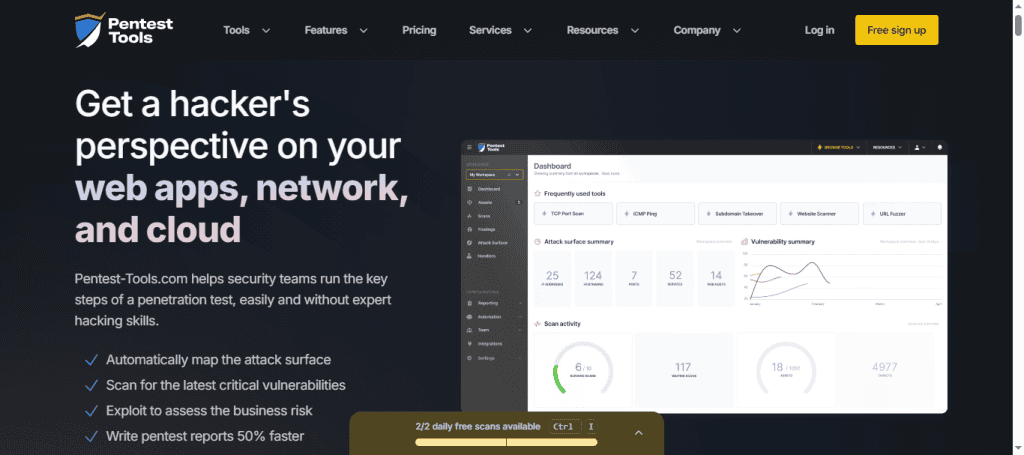
Pentest Tools offers a free website vulnerability scanner that checks for common security flaws, misconfigurations, and weak points in a website’s security. It helps website owners understand potential risks of compromised sites and provides insights into improving overall cybersecurity.
Using free website safety and security check tools is a great way to enhance your website’s security without any cost.
Key Features of Website Safety Checker Tools
Here are some of the key features that most website safety checkers offer.
- Malware and Security Threat Scanning: One of the primary functions of a website safety checker is scanning for malware and security threats. These tools examine a website’s files, scripts, and database to detect harmful code, suspicious activities, or vulnerabilities that could lead to cyberattacks.
- URL and Domain Legitimacy Checks: Cybercriminals often create fake websites to steal personal data. Website safety checkers verify the authenticity of a website’s URL and domain to ensure it is not associated with phishing, scams, or fraudulent activities. They also check for misspellings, unusual domain extensions, and improper SSL certificates that may indicate a fake website.
- Trust Score and Reputation Analysis: A website’s trust score and reputation help users determine whether it is safe to visit. Website safety checkers analyse user reviews, security certifications, and blacklist databases to assign a trust score. This feature helps individuals and businesses make informed decisions before interacting with a website.
- Detection of Phishing and Blacklisted Websites: Phishing attacks are one of the most common online threats. Website safety checkers detect phishing attempts by analysing website content, links, and behaviour patterns. They also cross-check a website against blacklist databases from Google Safe Browsing and other security services to alert users about potentially dangerous sites.
Also read: Comprehensive WordPress Maintenance Plans for UK Websites
Benefits of Using a Website Safety Checker Tool
Here are some key benefits of using a website safety checker.
Protecting Your Online Presence from Security Threats
Hackers often target websites with malware, ransomware, and data breaches. A website safety checker helps detect and remove security threats before they can cause damage. This ensures that your website remains safe from cyberattacks, protecting both your business and visitors.
Ensuring a Safe Browsing Experience for Visitors
Users are more likely to engage with a website that is secure and free from threats. A website safety checker ensures that visitors can browse without the risk of malware infections, phishing scams, or fraudulent activities. This not only protects users but also improves the overall user experience.
Identifying and Fixing Website Vulnerabilities
Many websites have hidden security weaknesses that hackers can exploit. Website safety checkers scan for vulnerabilities such as outdated software, weak passwords, and unsecured connections. By identifying these issues early, you can take action to fix them before they become serious security risks.
Improving Search Engine Ranking by Maintaining Security Standards
Search engines like Google prioritise secure websites in their rankings. If a website is flagged as unsafe, it may be removed from search results or marked as a potential security risk. Using a website safety checker ensures that your website meets security standards, helping to improve search rankings and increase organic traffic.
Enhancing Credibility and User Trust
A secure website builds trust and credibility among visitors. When users see security certifications, HTTPS encryption, and verified safety checks, they feel more confident sharing personal information or making transactions. This can lead to higher engagement, better conversion rates, and a stronger online reputation.
Further reading: Signs Your UK Website Needs Professional Website Maintenance
Choosing the Right Website Safety Checker Tool
With so many website safety checker tools available, selecting the right one can be challenging. The ideal tool should provide comprehensive security checks, accurate results, and ease of use. Here are some important factors to consider when choosing a website safety checker.
Features and Functionality
Different tools offer varying levels of security analysis. Some focus on malware detection, while others provide blacklist monitoring, SSL verification, and phishing protection. Choose a tool that includes all the essential security features needed to keep your website safe.
Accuracy and Reliability
A website safety checker should deliver accurate and reliable security assessments. Look for tools that use multiple security databases, advanced scanning techniques, and real-time threat detection. A highly reliable tool will minimise false positives and provide actionable security recommendations.
User Reviews and Ratings
Reading user reviews can give insight into the effectiveness and user experience of a website safety checker. Look for feedback on ease of use, detection accuracy, and customer support. A tool with consistently high ratings is more likely to offer trustworthy results.
Pricing and Plans
While some website safety checkers are free, others offer premium features with paid plans. Compare pricing options based on the features offered, frequency of scans, and level of security provided. If you run a small website, a free or basic plan may be sufficient, while larger businesses may need a comprehensive security solution.
Compatibility with Your Website’s Platform
Ensure the tool you choose is compatible with your website’s platform. Some security checkers are designed specifically for WordPress or other CMS platforms, while others work for all websites. Choosing a tool that integrates well with your website ensures seamless security monitoring.
In Summary
Website safety checker tools are essential for maintaining online site’s security. They help detect malicious websites, identify vulnerabilities, and prevent cyber threats. Regularly scanning your website ensures a safe browsing experience for visitors and protects your business reputation. Choosing the right tool depends on your specific needs. Whether you opt for a free scanner or a premium security solution, prioritising website safety is a must.


